18 September, 2026
Streamlined interface and dedicated Structure tab
We’ve updated the Cardanit workspace to make building and navigating diagrams smoother:
-
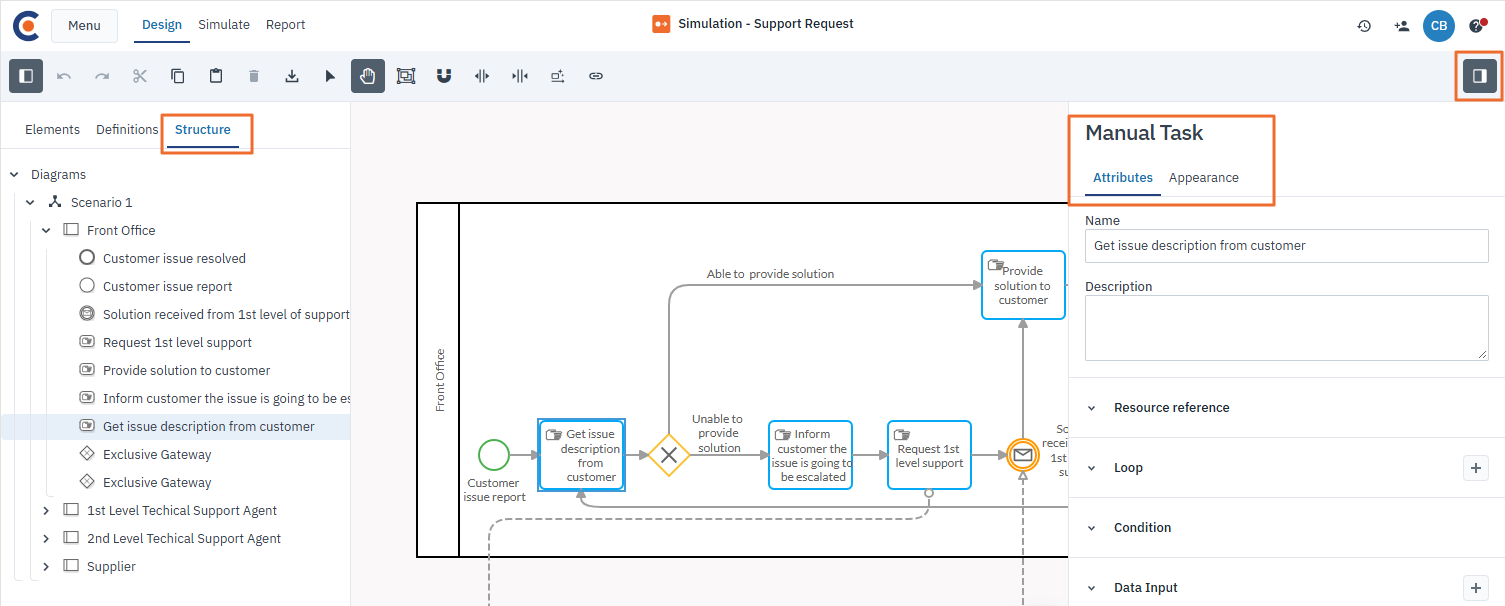
Focused Attributes panel: We removed Structure from the old Configuration panel, transforming it into a dedicated Attributes panel solely focused on element attributes and styling and process parameters.
-
Relocated Structure tab: We moved Structure to a dedicated tab in the left Navigation panel alongside Elements and Definitions, putting process hierarchy right where you need it.
New selection & pan toolbar controls
We’ve added selection and pan tools to the toolbar to improve your modeling experience. Switch to Selection mode to quickly drag a box over multiple elements at once, or use Pan mode to move around your diagram without selecting elements.
