DMN Components
Components are what you use to create a Decision Requirements Diagram (DRD). They’re the building blocks for modeling decisions.
In DMN, there are 4 elements, 3 requirements, and 2 artifacts. You find information on specific components and their attributes in the DMN Component Reference.
| Component | Description | Notation |
|---|---|---|
| Decision (Element) |
Determines an output value based on Input Data and a defined decision logic. | 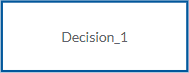 |
| Input Data (Element) |
The information used as an input by one or more Decisions in order to determine the output value. | 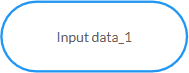 |
| Business Knowledge Model (Element) |
A function that encapsulates business knowledge. | 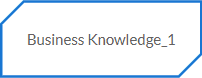 |
| Knowledge Source (Element) |
An authority for a Business Knowledge Model or Decision. | 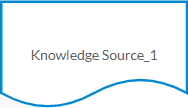 |
| Information Requirement (Requirement) |
Connects an Input Data or Decision to another Decision node that requires the information. | 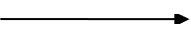 |
| Knowledge Requirement (Requirement) |
Connects a Business Knowledge Model to a Decision or to another Business Knowledge Model that invokes the decision logic. | 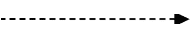 |
| Authority Requirement (Requirement) |
Connects an Input Data or a Decision to a dependent Knowledge Source or from a Knowledge Source to a Decision, Business Knowledge Model, or another Knowledge Source. | 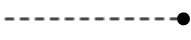 |
| Text Annotation (Artifact) |
Provides additional information about an Input Data, Decision, Business Knowledge Model or Knowledge Source. | 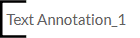 |
| Association (Artifact) |
Connects an Input Data, Decision, Business Knowledge Model or Knowledge Source to a Text Annotation. |  |
Component attributes
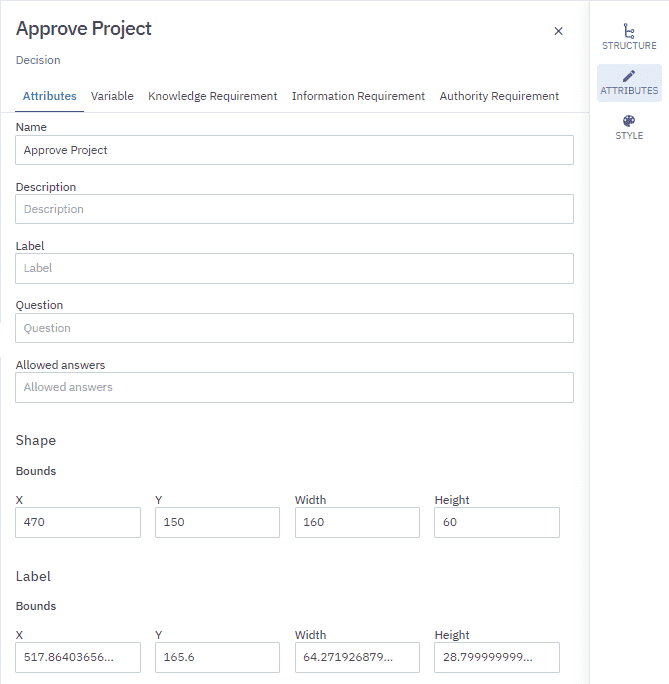
Every component has a set of attributes you can edit. You edit them in the Attributes panel.
The Attributes panel has a tab menu. Every component has an Attributes tab. Depending on the component, the Attributes panel can have additional Attribute tabs. For example, a Decision has an Attributes tab and a Variable, Knowledge Requirement, Information Requirement and Authority Requirement tab.
Some tabs in the Attributes panel are shortcuts to global Decision Definitions. Definitions is where you define the parts of a decision that don’t have a graphical representation.
To open the Attributes panel:
-
Select a component.
-
In the toolbar, click
to open the Attributes panel.